SUBSCRIBE TO GET FREE UPDATES
RSSRSSEmailEmail
       "Keep learning ~~ keep smiling ~~ keep sharing"     
Showing posts with label images/pictures. Show all posts

Saturday, December 18, 2010

Display a blog button with text box for code in Blogger

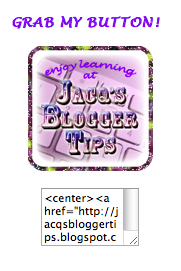
Bet you've often seen blog buttons of varying shapes and designs being displayed on websites or weblogs, together with its Html code in a text box beneath - something like my blog's button and its code as illustrated below and wished you know how to create one for your own blog too, yes?

Screenshot promoting my blog button with code text box beneathA blog button is a hyperlink thumbnail image that when clicked on will lead the reader to your blog, usually the homepage or to any desired destination. Providing a cool blog button is an interesting alternative way in promoting your blog by others rather than just an ordinary text link.

When you add your blog button or logo at the sidebar or footer with its HTML code in a scrolling text box beneath, then interested parties can easily copy and paste its code if so desire, to display the button at their own blogs or websites. Thus providing easy access to your blog which is another way of advertising for you and probably increase traffic to your blog when their readers click on the button.

Creating your blog's button with its code is quite simple really. You just need to create your button, apply some basic HTML to make it clickable and provide its code for copy and paste.


Wednesday, November 17, 2010

Make an image/picture clickable or as a link

This is one tutorial that I intended to present earlier but had procrastinated far too long until now! It simply took a visitor to my blog to wake me up from my slumber with her request on how to make an image or photo into a clickable link or hyperlink to another webpage.

I'm sure you've come across blogs (hehe...mine included) having clickable picture thumbnails, especially for related posts, recent posts or popular posts! These clickable images are generated automatically by the readily available widgets that were installed and proven beneficial to bloggers and visitors alike. But, didn't you ever wished that you know how to make images of your own choice clickable too?

Well, it's rather simple actually once you know the HTML format!

If you know how to make a text link, then it's as easy to make any image, button or badge an active link.

Needless to say but a gentle reminder nonetheless - to make a picture link, you have first to upload your photo on the website (e.g stored on Photobucket, Blogger.com or Flickr.com) to have available the URL or source (location) of the photo which is needed in its HTML format.

To make a text link,
the basic HTML format is like this:

<a href="URL of the target site">Text</a>
(change only the URL and text that are highlighted in red as you wish)
Custom Search